A simple incidence/case management System for a small and medium size companies
-
Status Dashboard
.. provide a summary of all incidences/cases status currently in progress -
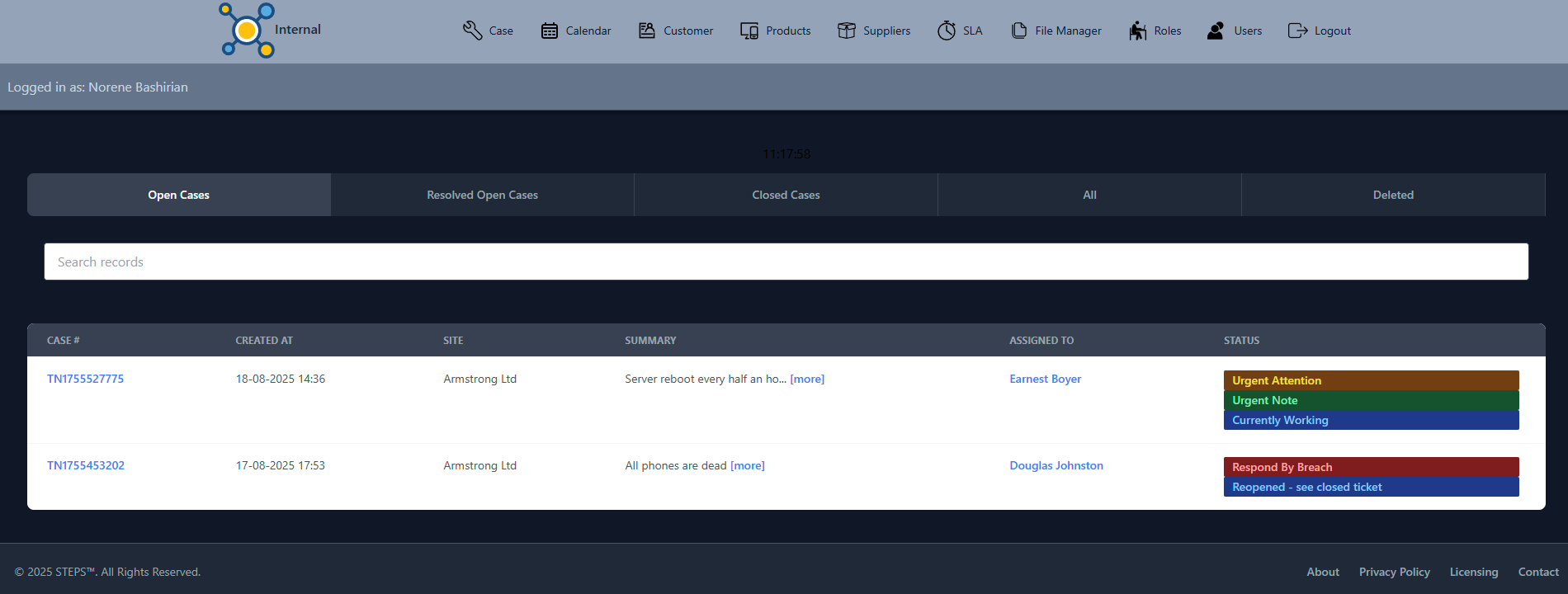
Incidence/Case List
.. with intuitive tabs that provide easy access to incidences/cases lists based on their status with search facility -
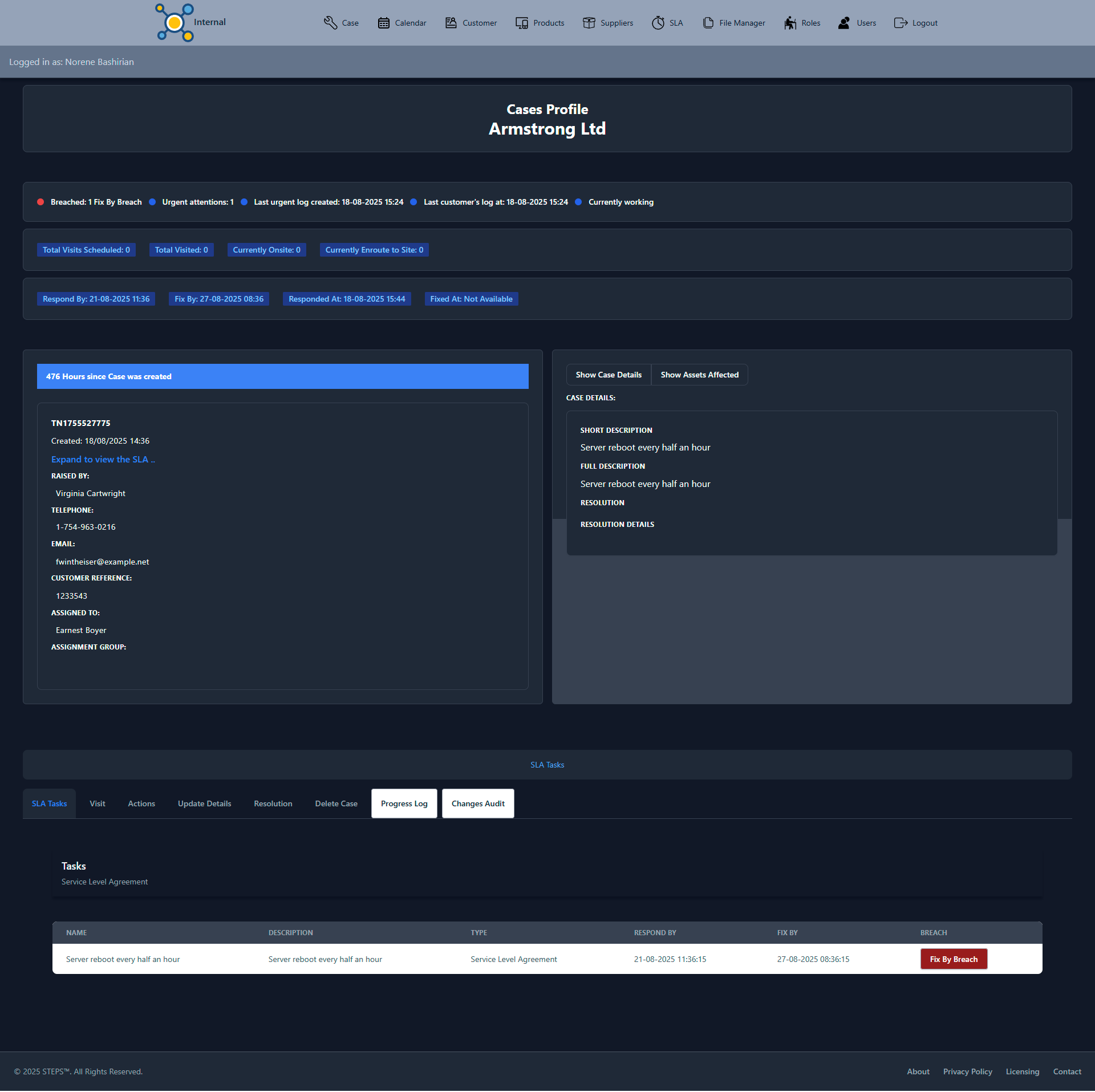
Incidence/Case Profile
.. provide all the required information and actions of the selected incidence/case together with facilities to move it forward, for example, progress action, progress log timeline, resolution etc.,
-
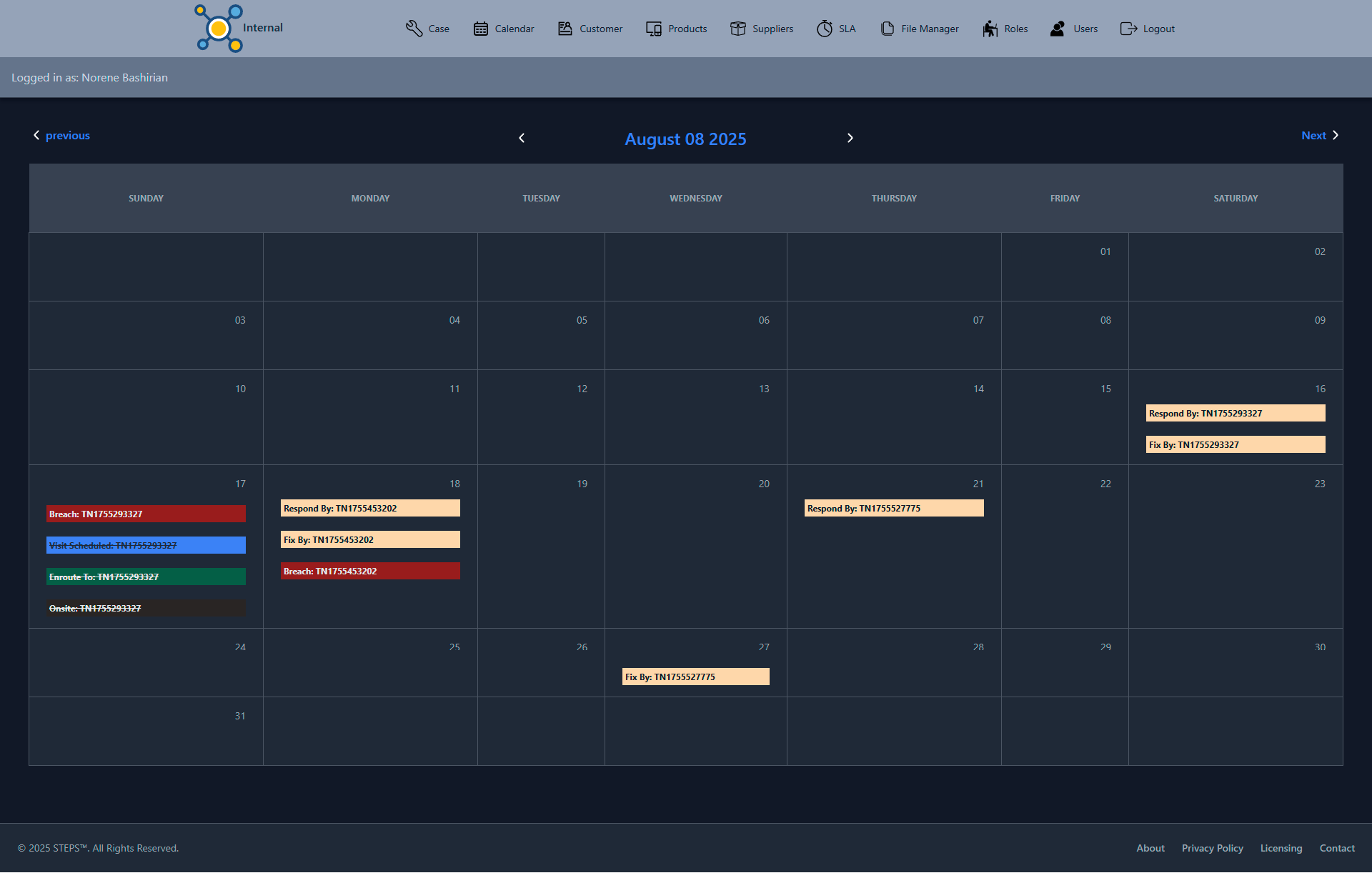
Incidence/Case Event Calendar
.. provides a calendar view of events relating to outstanding incidences/cases, for example, respond-by, breach, scheduled visits etc., -
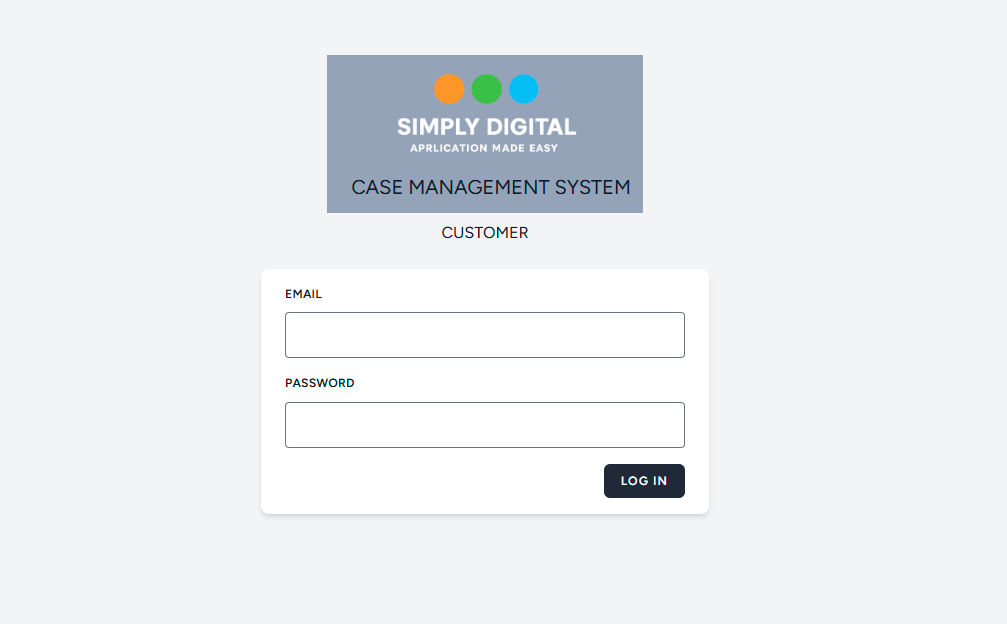
Customer Site List
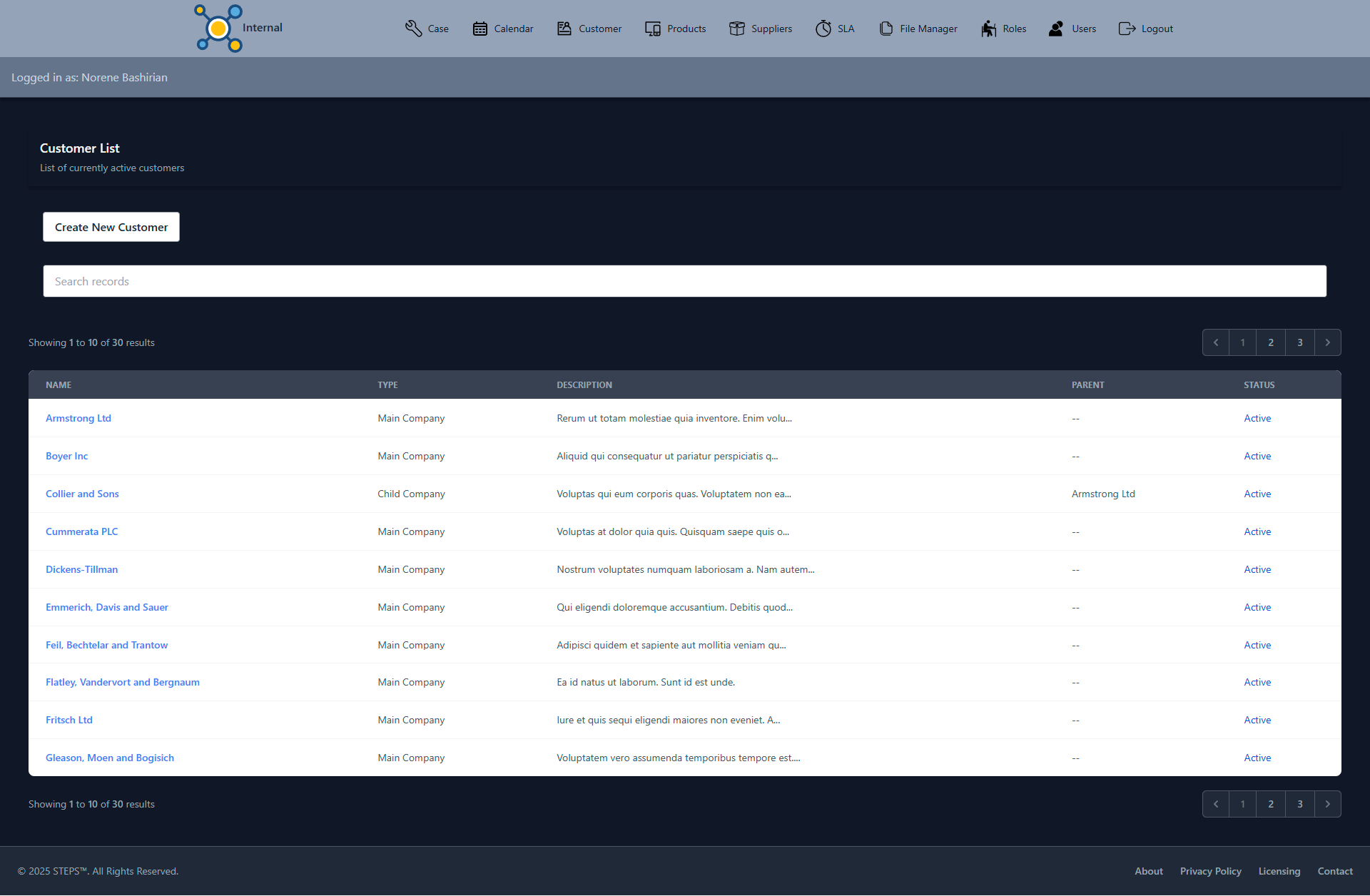
.. provides the list of customer sites, with search facility and a quick view of a type of a site (Main or Child). If a site is a child, its parent (Main) will be specified. -
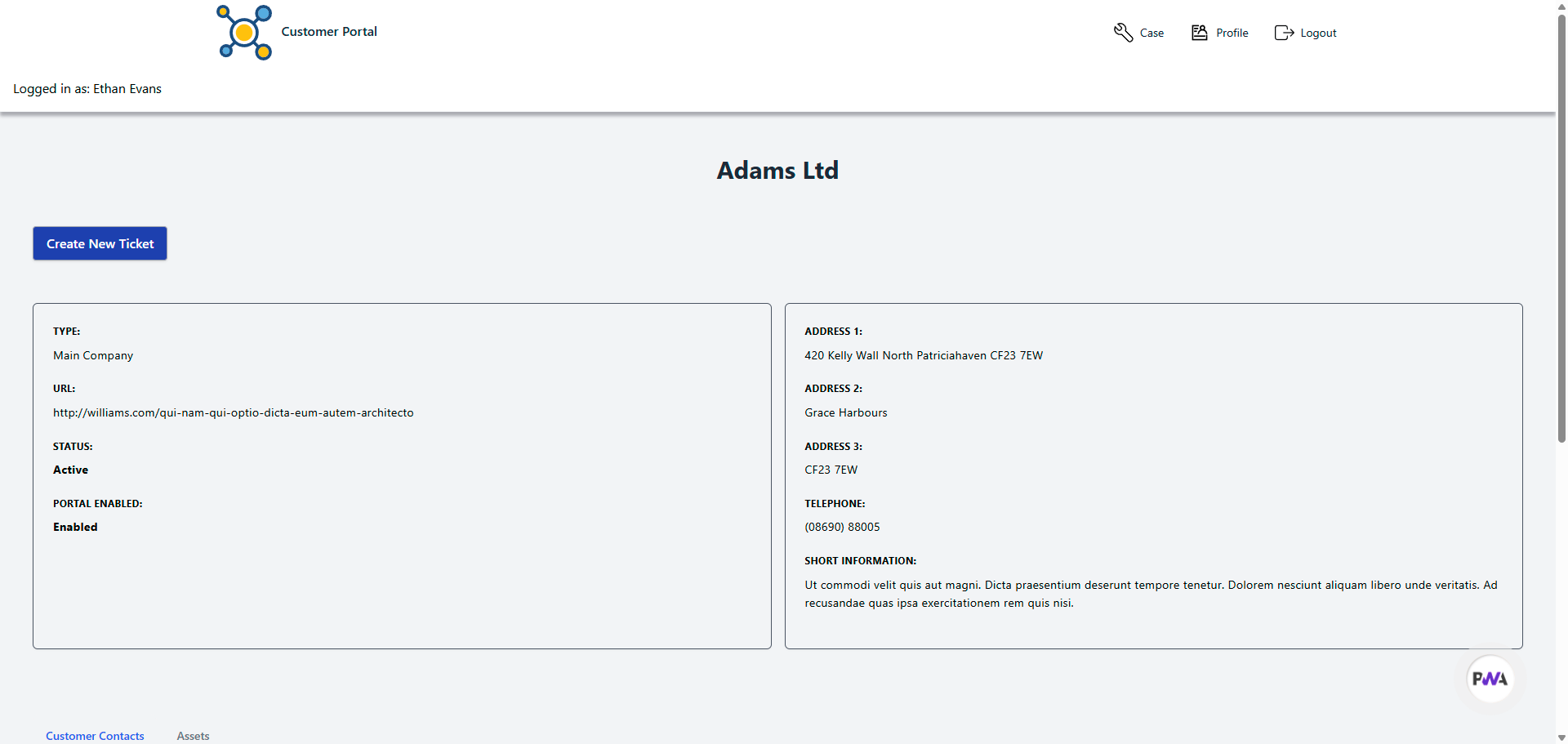
Customer Site Profile
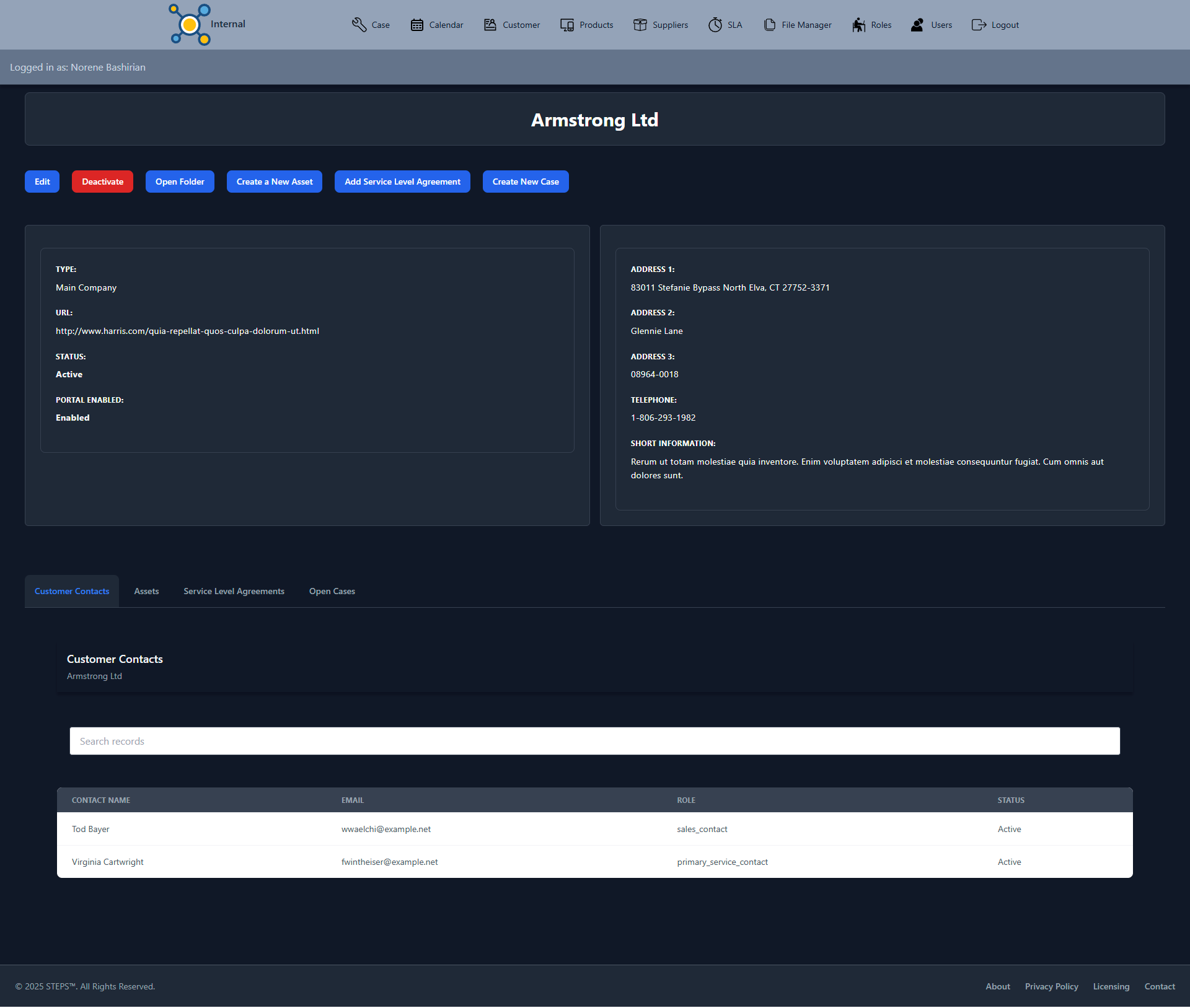
.. provide customer site profile information, which include, amongst others, list of assets, associated service level agreement, contacts, site document folder, and a create incidence/case facility etc., -
Customer Portal
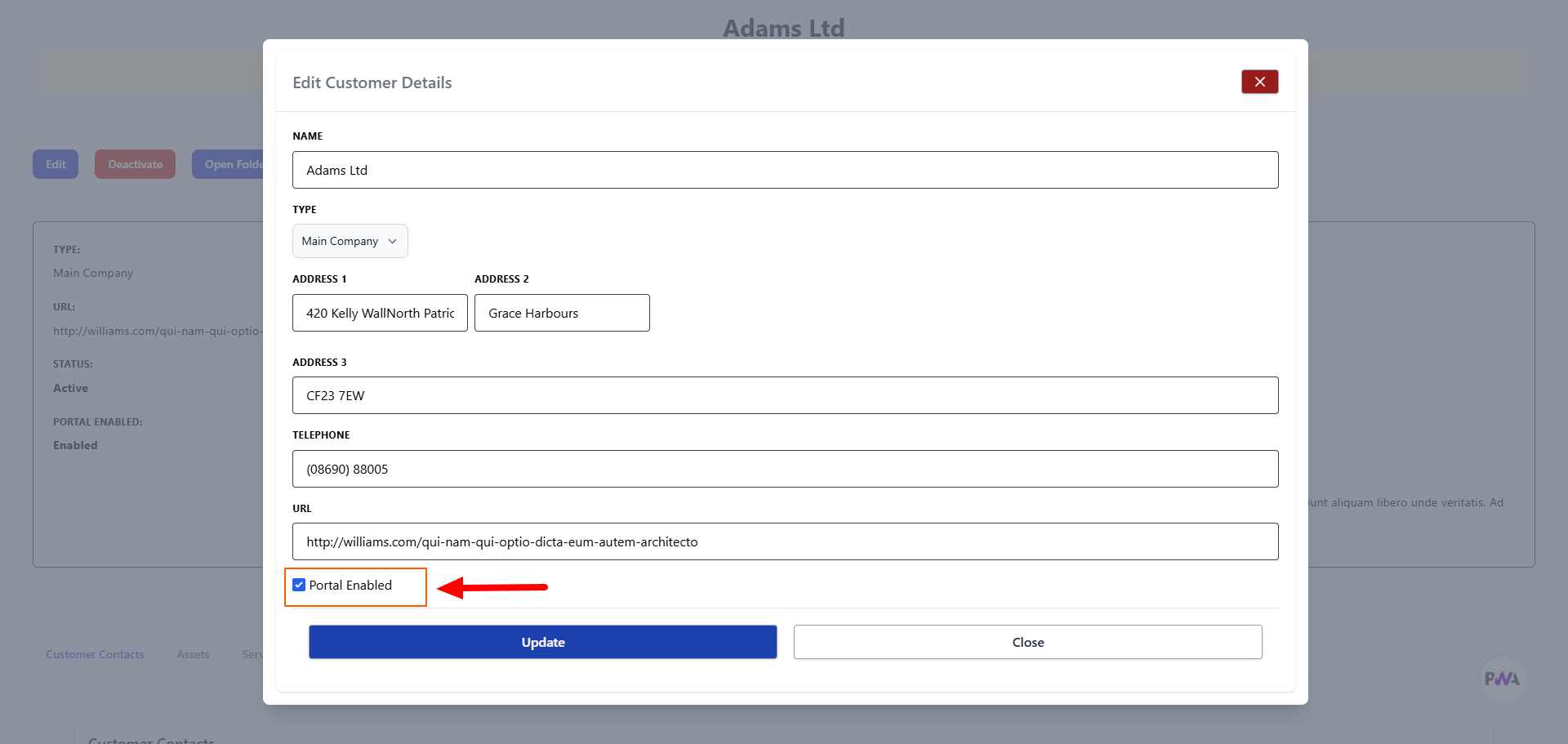
.. it provides the ability for admin with specific privileges to enable and disable customer portal.
-
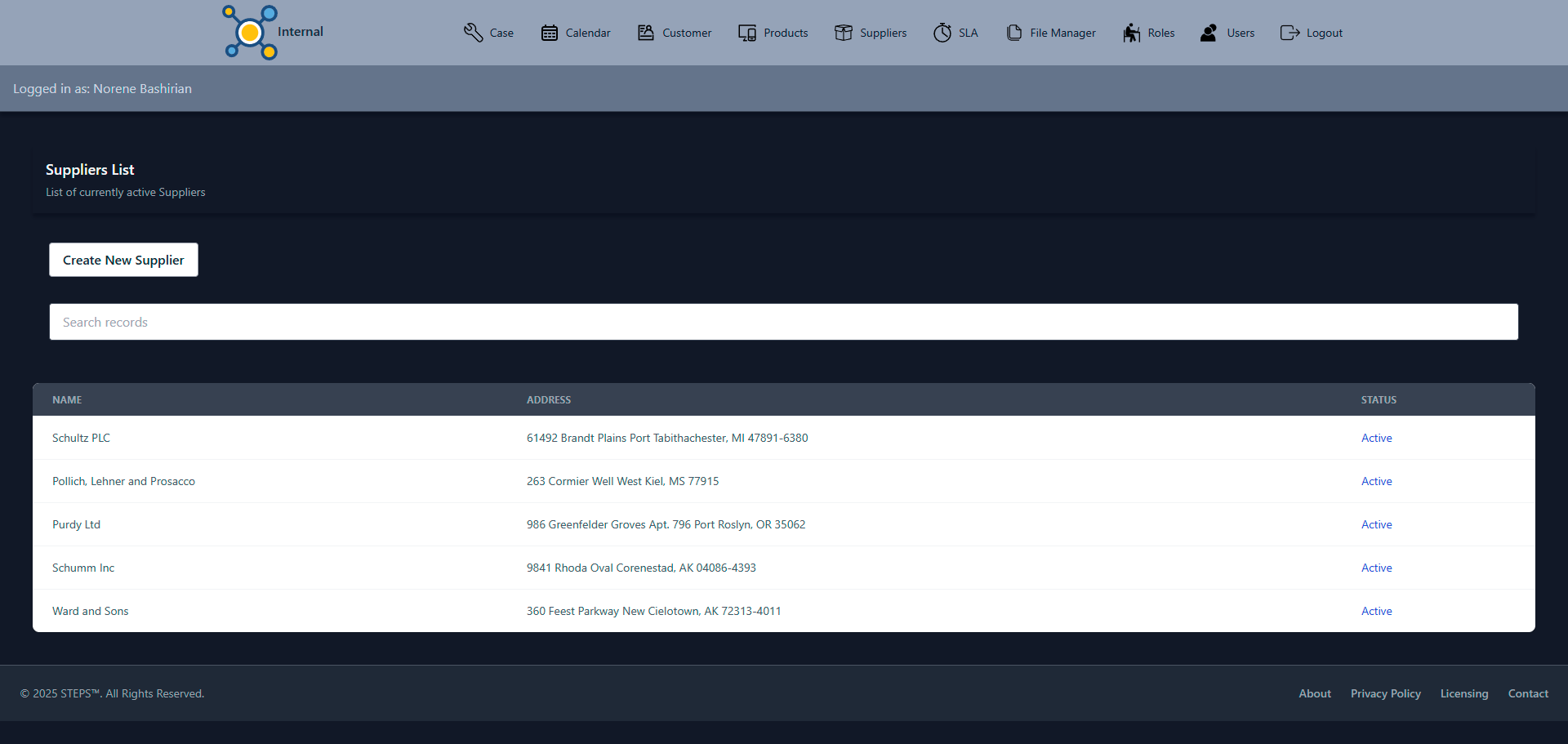
Product & Supplier
.. every site can be associated to products and Products can be associated to suppliers. Therefore, the App provides the facility to create list of products and suppliers. Products linked to a site are called assets. -
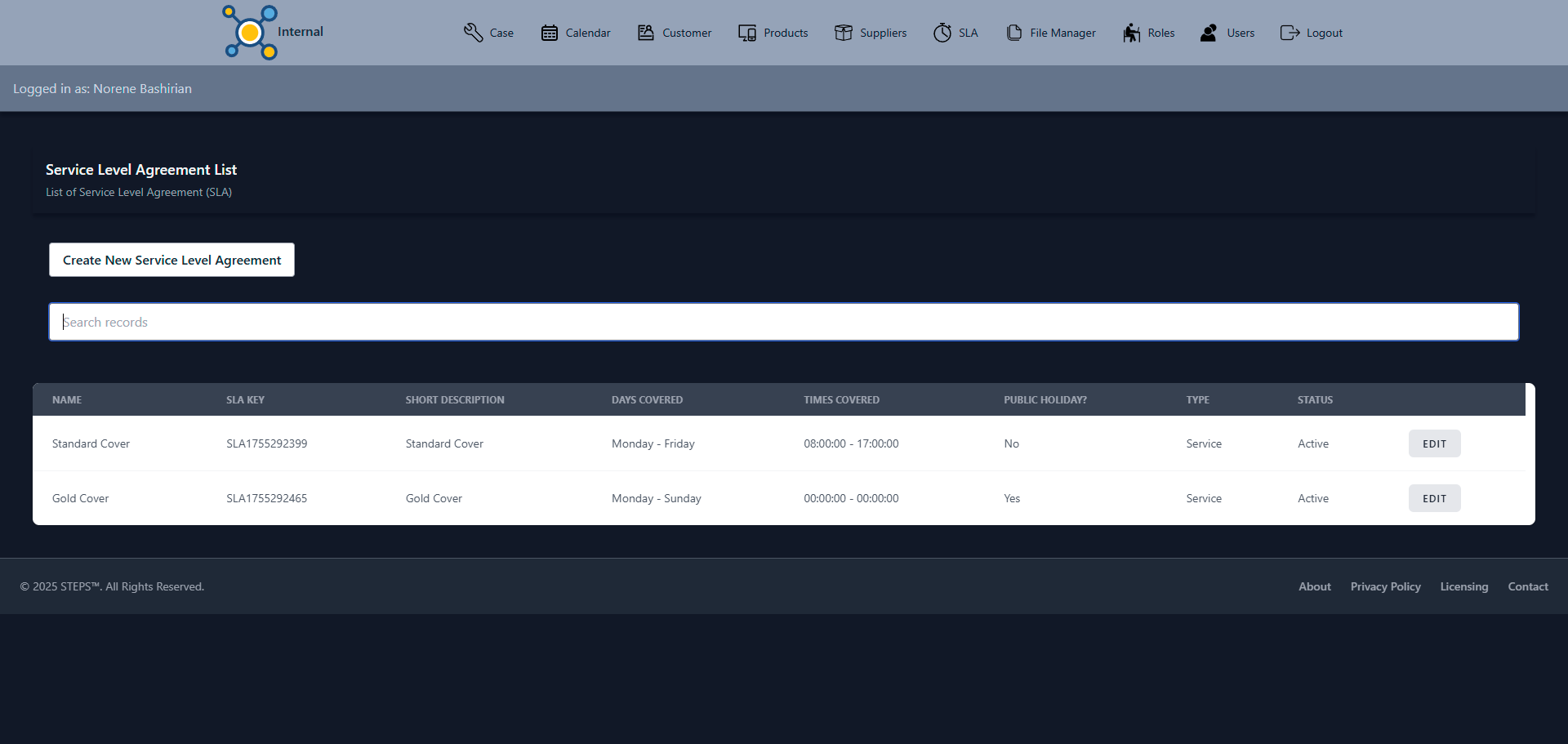
Service Level Agreement
.. this feature make it easy to apply a Service Level Agreement which forms a contract of service to customer site. Create a template of SLA then apply it to more than one sites with customisation. A site can have more than one SLA. -
User, Role & Permission Management
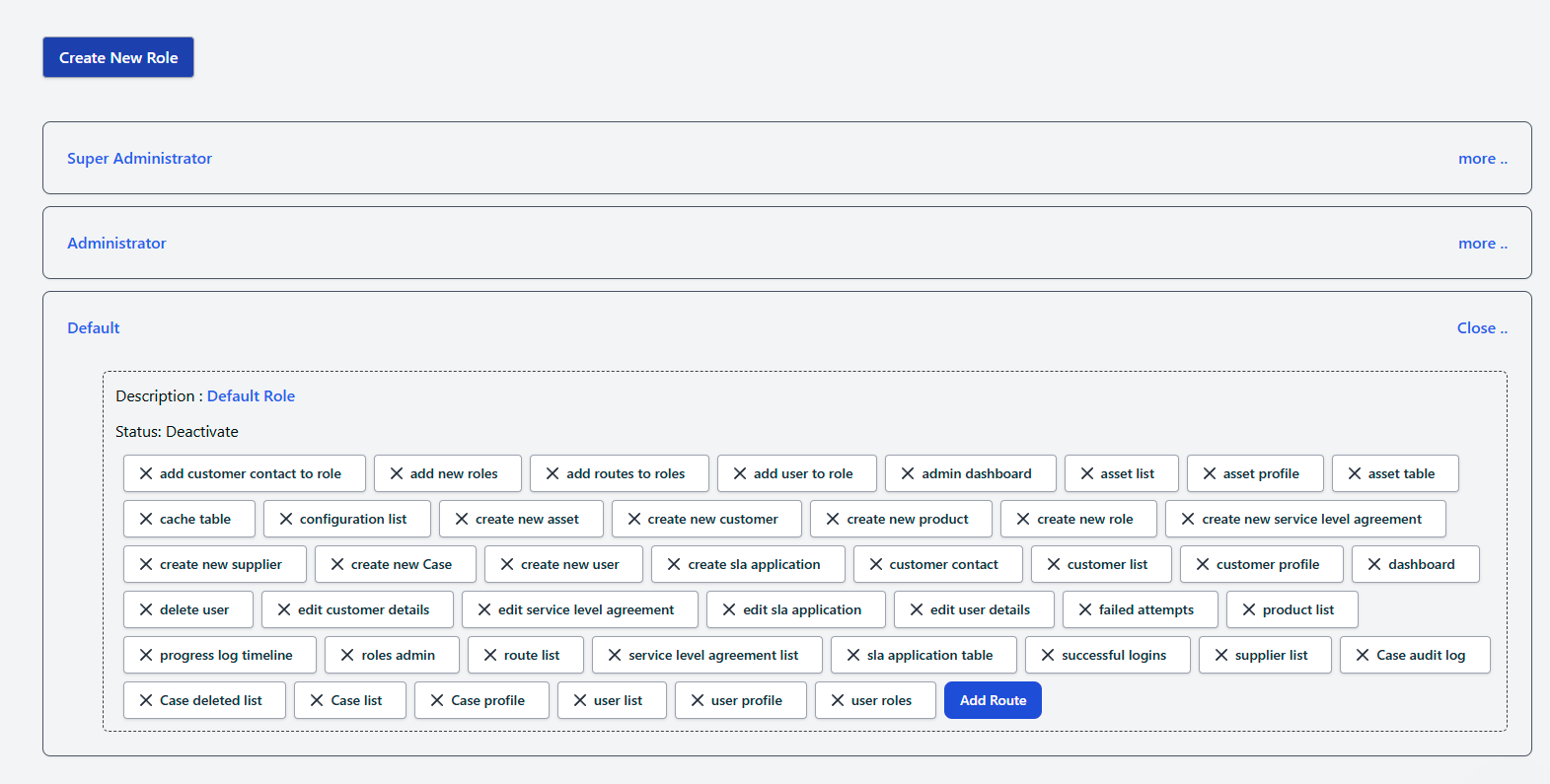
.. it provides user and role management. Role can be created and associated with users. Configuration of permission will depend on the roles, hence users based on their roles will have access to certain pages that are specified by the roles. -
The Ability to import and export data
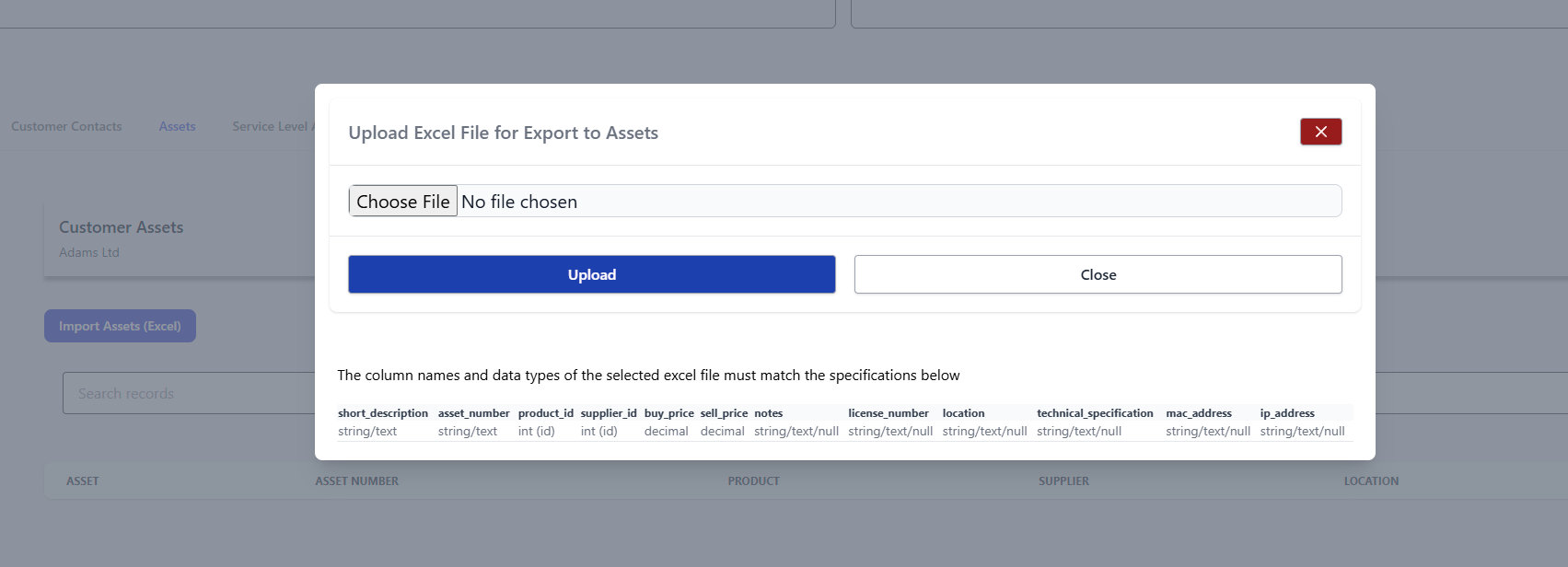
.. it provides te ability to import and export selected data using excel .xls format.
List of the facilities highlighted by the features above ..
- View of the outstanding status of all the incidences/cases
- View of all customer sites
- More on Customer Profile (Video)
- View of site profile
- View of all tickets/incidences/cases
- More on tickets/incidences/cases (Video)
- View of Ticket/Case/Incidence Profile
- More on tickets/incidences/cases Profile (Video)
- View on ticket/case/incidence calendar
- View product list
- View supplier list
- View Service Level Agreement List
- More on Service Level Agreement (Video)
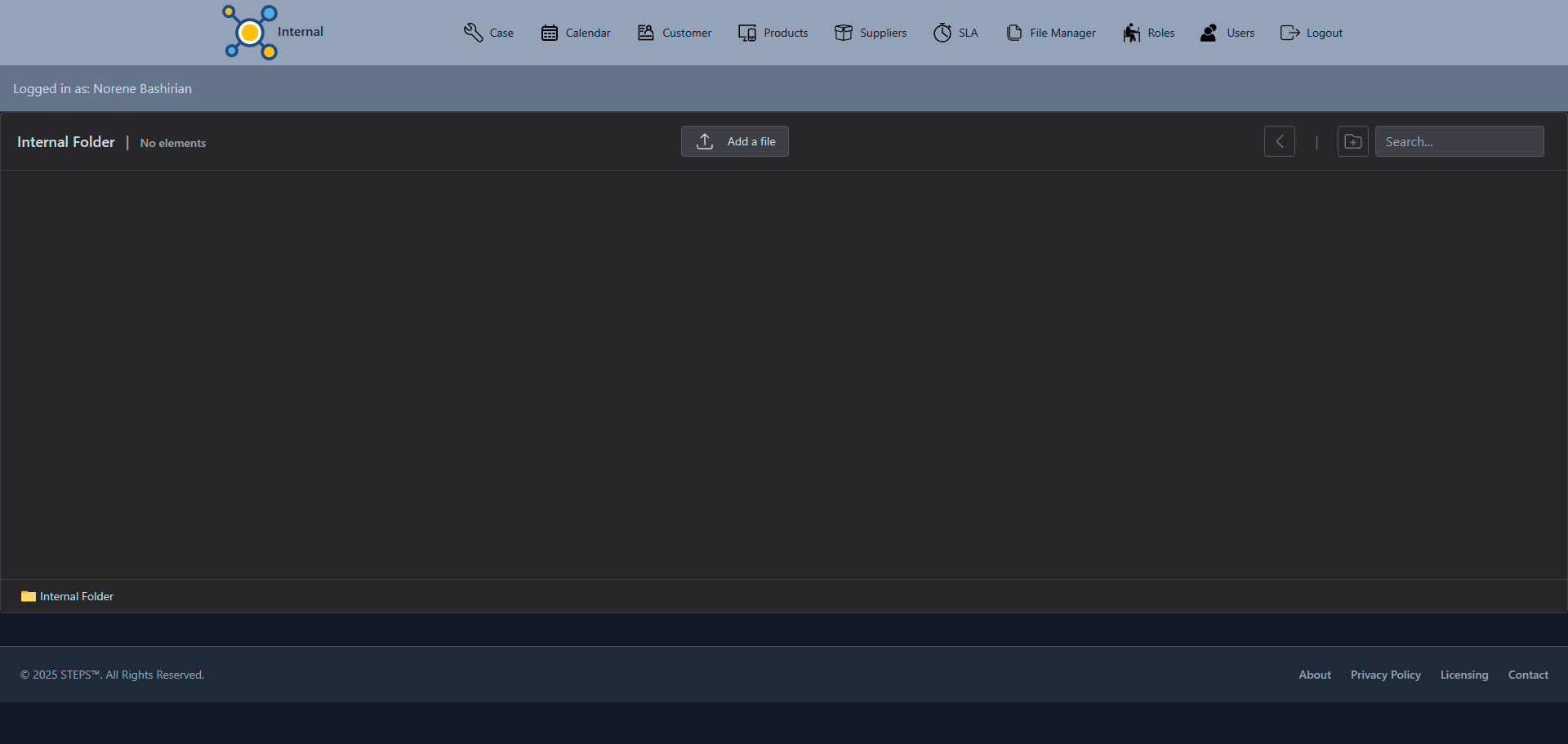
- View File Manager
- View User Role Management
- More on User Role Management (Video)
- Customer Portal

Views of the Application
Dashboard View Go to the Top
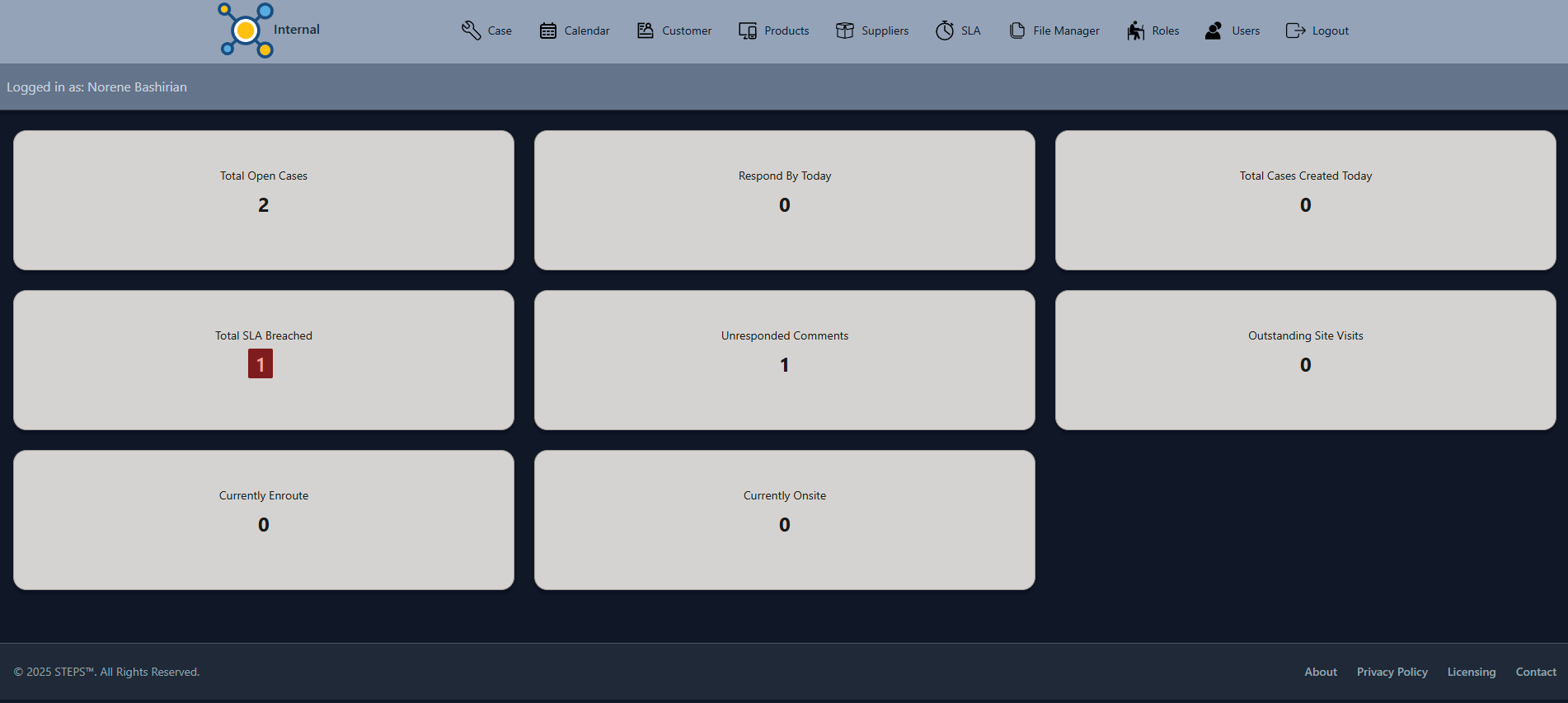
- Total open cases
- Total cases to be responded today
- Total cases created today
- Total Service Level Agreement Breached
- Total unresponded customer comments
- Total scheduled site visits
- Total currently engineers/technicians enroute to sites
- Total currently engineers/technicians on sites
Customer List View Go to the Top
- An ability to create a new one based on user roles's permission
- Ability to search the paginated list.
- A link to open the selected customer site profile
- Provide an information on the type, description, reference to the parent company if specified, and the active or not-active status.
Customer Profile View Go to the Top
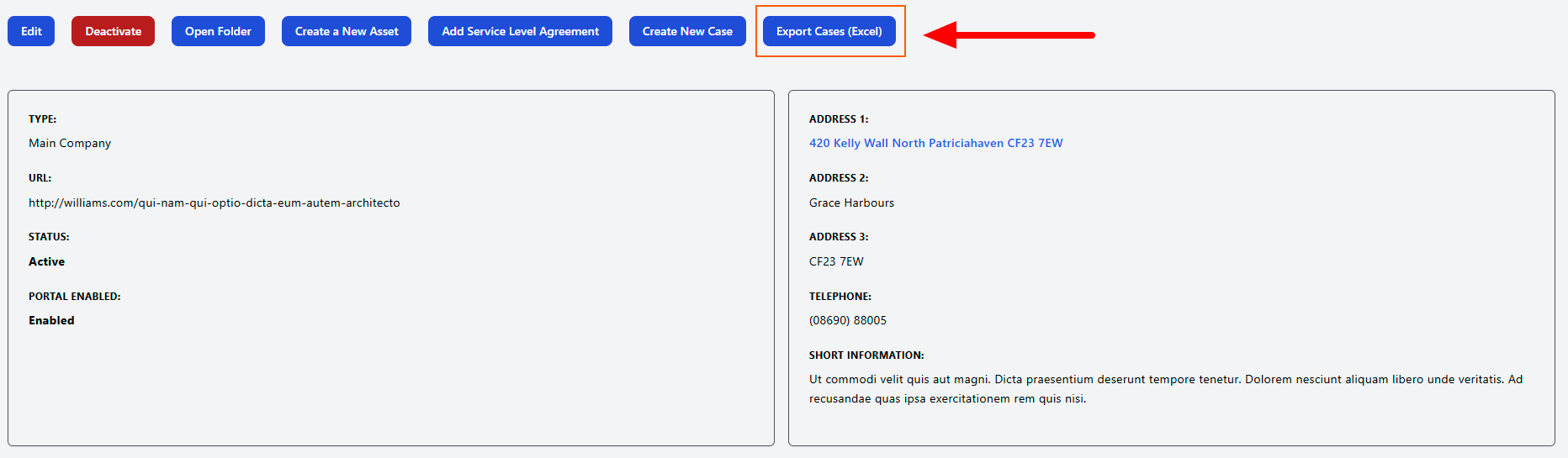
- Ability to edit the site details if user has the permission
- Ability to deactive the site if user has the permission
- Link the site to a document folder
- Ability to create assets if user has the permission
- Ability to create Service Level Agreement for the site is user has the permission
- Ability to create a new case if user has the permission
- Total currently engineers/technicians enroute to sites
- View the list of site contacts
- View the list of site assets
- View the list of site Service Level Agreement
- View the list of site current open cases/incidences
Ticket/Case/Incidence List View Go to the Top
- View all created tickets/cases/incidences in the system.
- Tabs that groups the tickets/cases/incidences based on their status.
- Provide the summary of current actions, status and progresses of each ticket
- Ability to change ticket/case/incidence assignment
- User can access progress log for each ticket/case/incidence
- A link to open a selected ticket/case/incidence profile
Ticket/Case/Incidence Profile View Go to the Top
- Provide the current status, action and progress of the case
- Provide the current SLA status and alert user if it has been breached.
- Alert user of any urgent notification for internal user and customer
- Details of the ticket/case/incidence are provided here, which include, amongst others, site contact details, full description, assets related to the issue raised etc.,
- The Visit Tab provides the ability to schedule site visit. It also list the current scheduled visits. User can manage all visits from here.
- The SLA Task Tab provides the currently applied SLA
- Action Tab will allow user to progress the ticket/case/incidence, in terms of task assignment, managing remote response, fix and closure times. Adding progress note and the ability to email that note to other users and customers.
- All user activities in the action tab are logged and recorded in the progress logs
- The update tab provides user the ability to change editable details
- If the issue has been resolved, the details can be input in the resolution tab. The date and time, resolved by, resolution type and resolution note are the required fields.
- View of the progress logs
- Changes Audit provide the history of the changes made to the ticket/case/incident.
Ticket/Case/Incidence Calendar Go to the Top
- Provide a calendar view of all status and activities of tickets/cases/incidences for the selected month.
- Clicking the item will take the user to the selected ticket/case/incidence
Service Level Agreement Go to the Top
- An ability to create a new SLA based on user roles permission
- Ability to search the paginated list.
- Ability to update the SLA based on user roles permission
Contact Go to the Top